



สวัสดีครับวันนี้จะมาแจกโค้ด Claude API มาใช้ร่วมกับ Google Sheet กันครับ เขาว่ากันว่าภาษาไทยของ Claude นั้นใช้งานได้ดีกว่า GPT และ Gemini เสียอีก มาดูกันครับว่าใช้งานได้ดีจริง ๆ หรือเปล่า
อันดับแรกให้เพื่อนๆ ไปขอ API KEY Claude ที่นี่ Claude API

เมื่อได้ API KEY เรียบร้อยแล้ว ให้เพื่อน ๆ เปิด Google Sheet และ App Script ให้เรียบร้อย คัดลอกโค้ดด้านล่างไปใส่ได้เลยครับ และให้นำ Api Key ไปใส่ที่บรรทัดที่ 2
function callClaude(message) {
  const apiKey = 'apiKey';
  const model = 'claude-3-opus-20240229';
  const maxTokens = 1024;
  const messages = [{ role: 'user', content: message }];

  const url = 'https://api.anthropic.com/v1/messages';
  const payload = {
    model: model,
    max_tokens: maxTokens,
    messages: messages,
  };

  const options = {
    method: 'POST',
    headers: {
      'Content-Type': 'application/json',
      'x-api-key': apiKey,
      'anthropic-version': '2023-06-01',
    },
    payload: JSON.stringify(payload),
  };

  try {
    const response = UrlFetchApp.fetch(url, options);
    const responseText = response.getContentText();
    const json = JSON.parse(responseText);
    console.log(json);
    console.log(json.content[0].text)
    return json.content[0].text;
  } catch (error) {
    console.log('Error:', error);
    return error;
  }

}
เมื่อคัดลอกโค้ดเรียบร้อยแล้วให้ทำการ Depoy เลือกประเภทเป็นเว็บแอป และทำตามขั้นตอนให้เสร็จสิ้นก็เป็นอันเสร็จ

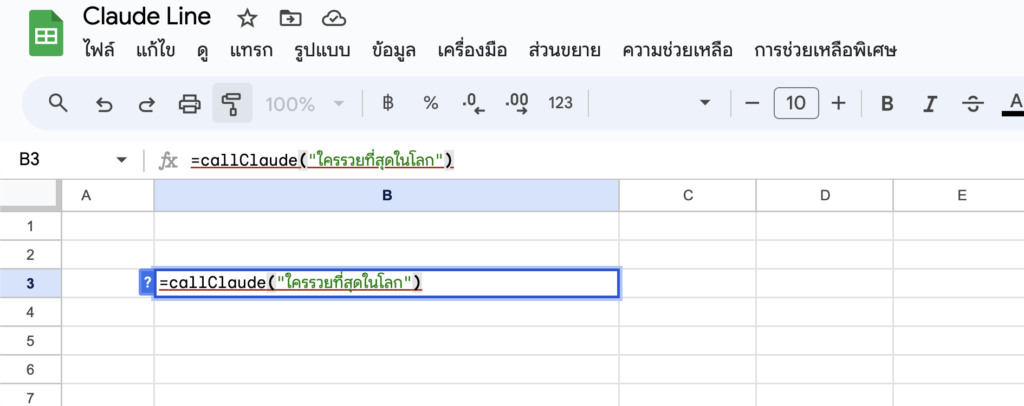
เมื่อทำตามวิธีการด้านบนเสร็จเรียบร้อย ให้กลับไปที่ Sheet เรียกใช้ Function callClaude(“ใส่คำถาม”) ก็เป็นอันเสร็จสิ้น
คำตอบที่ได้
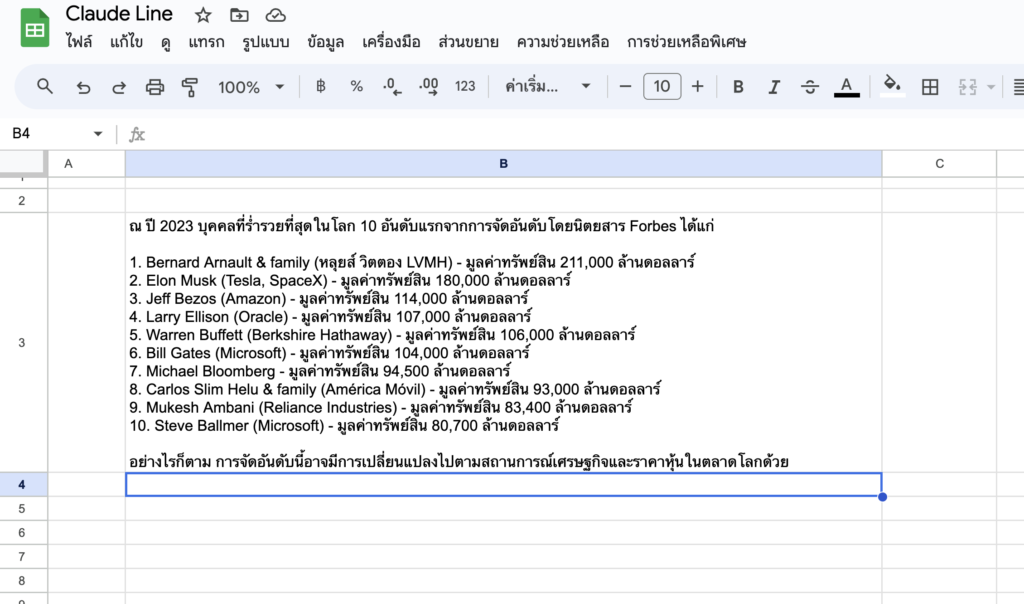
เห็นไหมครับว่าไม่ยากเลย ง่ายมาก แถมภาษาไทยของตัว Claude ดีมากกกกกกก วันนี้ก็ขอจบบทความเพียงเท่านี้ครับผม
ที่มา: https://note.com/ryu_y71/n/n3ef0639bf2a1